

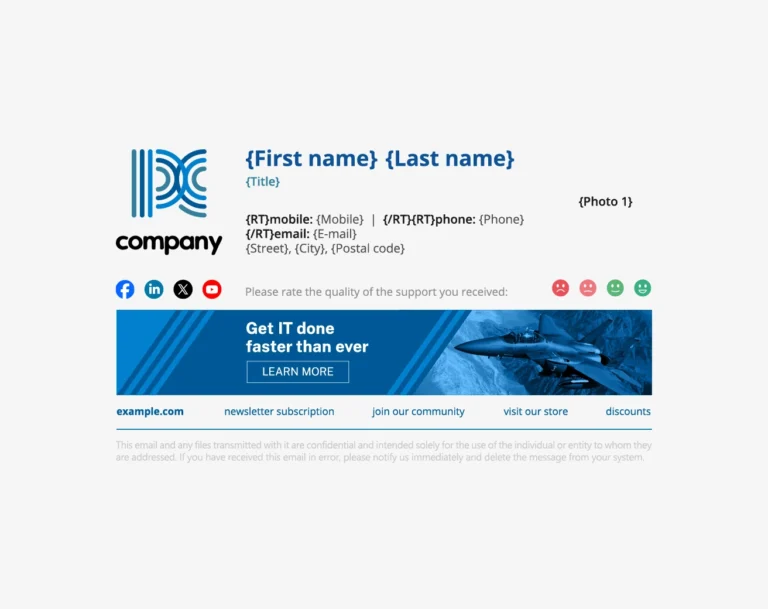
In most businesses, email is still the backbone of daily communication. It’s how teams talk to clients, follow up with partners, and keep projects moving. But while emails themselves feel simple, managing how they look across an entire company is anything but.
Think about how many people send emails in an average organization—sales reps, support staff, managers, executives, contractors. Now imagine trying to make sure every single one of them uses the same email signature, with the right logo, disclaimer, and branding. For IT and marketing teams, that task can quietly turn into a time-draining headache.
This is where automated email signatures step in—not as a flashy upgrade, but as a practical solution that saves hours, reduces friction, and helps teams focus on work that actually matters.
Table of Contents
The Hidden Time Drain Behind Manual Email Signatures
At first glance, email signatures don’t seem like a big deal. Someone pastes in their name, title, phone number, and maybe a logo, and that’s it—right? In reality, it’s rarely that simple.
For IT teams, manually generated email signatures often lead to repeated support requests. A new employee joins and needs help setting up their signature. Someone changes roles and needs their title updated. A user switches devices, and their signature suddenly disappears. Each request is small, but together they pile up quickly.
Marketing teams face a different challenge. They care deeply about brand consistency—logos, fonts, colors, legal disclaimers, and promotional banners. When everyone controls their own signature, branding becomes fragmented. One person uses an outdated logo. Another forgets the disclaimer. Someone else adds a personal quote that doesn’t align with the company’s voice.
It’s similar to letting every employee design their own business card. Even with good intentions, the result is inconsistent, time-consuming to fix, and frustrating for the teams responsible for keeping things aligned.
How Automation Removes Repetition and Guesswork
Automated email signatures work by taking control away from individual inboxes and placing it into a central system. Instead of employees managing their own signatures, the company defines templates that are automatically applied to every outgoing email.
For IT teams, this eliminates a surprising amount of repetitive work. There’s no need to walk users through setup instructions or troubleshoot formatting issues on different devices. Once the system is configured, it simply works in the background—whether someone is sending emails from a desktop, laptop, or mobile phone.
Marketing teams benefit just as much. They can design a single, professional signature template and know it will appear exactly the same for everyone. Need to update a logo? Add a seasonal banner? Change a tagline? It’s done once, centrally, rather than rolled out through dozens—or hundreds—of individual email clients.
This kind of automation mirrors what companies already do with payroll or software updates. You wouldn’t ask employees to manually calculate their salaries or install security patches on their own. Email signatures, while smaller in scale, benefit from the same centralized approach.
Real-World Time Savings Across Different Industries
The time-saving impact of automated email signatures becomes especially clear in real-world scenarios.
In healthcare organizations, staff turnover and role changes are common. Nurses, administrators, and specialists frequently rotate responsibilities. Automation ensures that job titles and contact details stay accurate without IT needing to step in every time.
In financial services, compliance is critical. Email disclaimers and legal text must be present and up to date. With automated signatures, compliance updates can be rolled out instantly, reducing risk and avoiding last-minute scrambles.
Retail and e-commerce companies often run promotions. Marketing teams can add banners promoting sales, events, or new product launches directly into email signatures—without asking employees to manually update their signatures. Every email becomes a subtle marketing touchpoint, working quietly in the background.
Even in smaller professional services firms—like law offices or consulting agencies—the time savings add up. When branding changes or contact details are updated, the entire company reflects those changes immediately, without interrupting daily workflows.
In the middle to later stages of adopting this approach, many teams choose platforms like Crossware to automate signatures smoothly and reliably, helping both IT and marketing regain hours each month.
Less Stress, Better Branding, and Happier Teams
Beyond saving time, automated email signatures reduce stress. IT teams deal with fewer support tickets related to email formatting. Marketing teams stop worrying about brand misuse. Employees don’t have to think about whether their signature is “right”—it just is.
There’s also a branding advantage that’s easy to overlook. Every email sent from a company contributes to how that organization is perceived. Consistent signatures reinforce professionalism and trust, especially when paired with strong brand management principles. Over time, these small details shape how clients and partners view a business—much like consistent packaging or signage does in the physical world.
Automation also creates room for creativity where it matters. Instead of chasing down inconsistencies, marketing teams can focus on messaging strategy. Instead of troubleshooting email issues, IT teams can work on infrastructure, security, and performance improvements that have a bigger impact on the business.
Why This Small Change Makes a Big Difference
Automated email signatures aren’t about control for control’s sake. They’re about removing unnecessary friction from everyday work. When something as routine as an email can run smoothly without constant oversight, teams gain back time, clarity, and peace of mind.
In a world where businesses are always looking for efficiency gains, this is one of those rare changes that benefits everyone involved. IT spends less time fixing small issues. Marketing gains consistent visibility. Employees send emails confidently. And the brand shows up polished and professional—every single time.


