

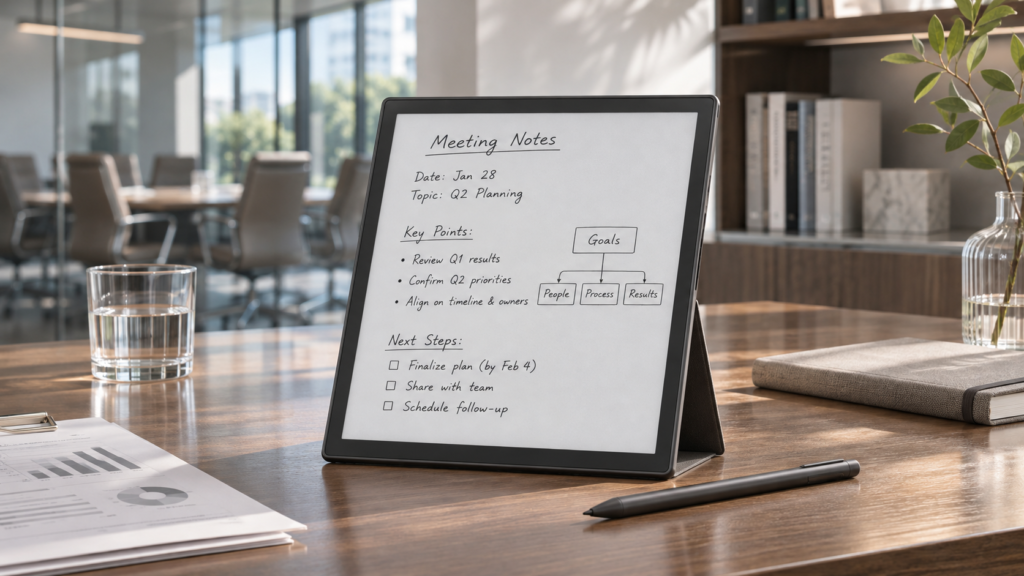
A useful work tablet has to handle two very different situations. In a meeting, it needs to capture information quickly without distracting everyone at the table. During focused work, it should provide enough space and comfort for reading, writing, and thinking through complex material.
E Ink tablets suit both settings because their displays are quieter and visually simpler than conventional tablets. Notifications, colorful app icons, and entertainment features are less likely to interrupt the task at hand. Still, screen technology alone does not make a device suitable for professional work. Size, writing response, audio tools, document handling, and export options matter just as much.
Table of Contents
Start With the Work You Do Most Often
Before comparing devices, look at a typical workweek. A manager who spends several hours reviewing reports has different needs from a consultant who moves between client offices. Someone who records interviews may care more about microphone performance and transcription, while a project lead may prioritize handwritten diagrams and task lists.
An E Ink tablet for business meetings becomes more useful when it can keep handwritten notes, meeting audio, transcripts, and documents within the same workflow. Instead of carrying a paper notebook, a recorder, and printed files, the user can capture the discussion and review the supporting material on one device.
The key question is not how many features a tablet offers. It is how many separate steps it removes from your routine.
Screen Size Changes More Than Portability
Screen size affects writing comfort, document layout, and how often the page needs to be moved or enlarged.
A larger display works well for full-page PDFs, detailed handwriting, mind maps, and documents with narrow margins. It also provides more room when notes need to sit beside a report or presentation. People who spend long periods reading at a desk will usually appreciate the extra space.
A compact screen is easier to carry between meeting rooms, client sites, airports, and hotels. It fits into smaller bags and takes up less space on a crowded table. The tradeoff appears when reviewing complex documents: charts may require zooming, and long handwritten notes may extend across more pages.
There is no universally correct size. If the tablet will stay near a desk, a larger screen often earns its weight. If it will be carried every day, portability may have greater value than additional writing space.
Pay Attention to the Writing Experience
A specification sheet cannot fully describe how writing feels. Pen response, surface texture, line placement, palm rejection, and page refresh behavior all affect daily use.
The pen should place marks close to where the tip touches the screen. Noticeable delay can interrupt quick note-taking, especially when a conversation is moving fast. The surface should also provide enough resistance for controlled writing without feeling rough or sticky.
Check what happens after the notes are written. Useful functions may include searchable handwriting, conversion to editable text, selectable pen styles, tags, folders, and the ability to move or resize handwritten content. These features matter more over time than a large collection of decorative templates.
For diagrams and brainstorming, test whether the screen provides enough room to connect ideas without constantly opening a new page. For structured meeting notes, look for templates that leave clear areas for decisions, questions, and follow-up tasks.
Decide How Audio Fits Into Your Meetings
Not every meeting needs to be recorded. For detailed interviews, technical discussions, or sessions with several decisions, however, audio can fill the gaps left by handwritten notes.
Microphone placement deserves attention. A tablet lying flat on a large conference table may capture the nearest speaker clearly while struggling with someone at the far end. Room acoustics, air-conditioning noise, and people speaking over one another also affect the result.
Transcription adds another layer of convenience, but it should not replace review. Names, technical terms, numbers, and overlapping speech may require correction. A stronger workflow links the transcript or audio to the notes taken at that moment, making it easier to return to the relevant part of the discussion.
Privacy also belongs in the buying decision. Check where recordings are stored, whether transcription requires an internet connection, and how files can be deleted or exported. Organizations with sensitive meetings may need offline options or stricter control over synchronization.
Check Documents Before Buying
Many business users discover file limitations only after the tablet arrives. Make a short list of the formats used by your team, then confirm that the device can open them.
PDF support is especially important. Look beyond basic viewing and check whether you can highlight text, write in margins, insert pages, create bookmarks, and export an annotated copy. Spreadsheets and slide decks may be readable but difficult to edit on an E Ink screen, so expectations should match the device’s intended role.
Also consider how documents reach the tablet. Email, USB transfer, cloud storage, QR-code transfer, and companion apps each fit different workflows. A device may open the right files yet still create extra work if moving them between systems is awkward.
Portability Includes More Than Weight
A light tablet is not automatically convenient. Its cover, pen, charging cable, and protective case all become part of the daily load. Battery behavior matters as well, particularly during travel or consecutive meeting days.
A portable digital notebook may be a better fit for people who take short notes throughout the day, move frequently, or read in locations where desk space is limited. A compact device is also less intrusive during one-to-one conversations because it does not create a large screen barrier between participants.
For frequent travel, check whether the pen attaches securely and whether the case protects the display inside a packed bag. A missing stylus can make an otherwise capable tablet far less useful.
Look at the Entire Note Workflow
The tablet is only one part of the system. Notes eventually need to become emails, project updates, reports, or assigned tasks.
Imagine one real meeting from beginning to end. A document arrives before the call. You annotate it, record part of the conversation, write down a decision, and mark two action items. Later, those notes need to reach a computer or colleague.
Count the steps required. Can handwriting be converted and copied into an email? Can an annotated PDF be exported without losing the original? Does the transcript have clear speaker labels? Can files be organized by client or project?
A device that handles this sequence cleanly will save more time than one with impressive features that remain isolated from the rest of your work.
Reduce Distraction Without Losing Essential Tools
One reason professionals choose E Ink is the calmer working environment. That advantage disappears if the device is loaded with unnecessary apps or requires frequent navigation between menus.
During deep work, the ideal setup is simple: the current document, a writing space, and the few tools needed to organize ideas. Features such as split-screen viewing, handwriting search, document annotation, and adjustable reading settings can support concentration without turning the device into another general-purpose screen.
The right balance depends on the user. Some people need email and cloud access on the device. Others prefer to transfer files before a work session and remain offline until it ends.
Questions to Ask Before Ordering
A short practical check can prevent an expensive mismatch:
- Is the screen large enough for the documents I read most often?
- Can I comfortably carry the tablet with its case and accessories?
- Does it support the file formats used by my team?
- Can recordings and transcripts be handled according to company privacy rules?
- How are notes exported, shared, backed up, and deleted?
- Does the pen require charging, and how easy is it to replace?
- Can I complete a normal meeting workflow without relying on several extra apps?
A good E Ink tablet should disappear into the work rather than become another system to manage. Choose around the moments that take up most of your week: listening, writing, reviewing documents, and turning decisions into work that gets done.