


Last month, a creative director for a mid-sized fashion label described their generative AI process as “digital ping-pong.” They would generate a base image in one tab, hop to a different site to upscale it, move to a third tool to attempt a video transition, and finally dump it into Photoshop to fix the inevitable artifacts. By the time they reached a usable asset, the efficiency gains of using AI had been swallowed by the cognitive load of context switching and file management.
This “iteration trap” is the primary hurdle for creative operations leads. While the industry has spent the last two years obsessing over prompt engineering, the real bottleneck has shifted to workflow orchestration. For professional teams, the goal isn’t just to produce a singular stunning image; it’s to build a repeatable pipeline where assets move from concept to motion without losing their stylistic DNA. This is where a unified environment like Nano Banana changes the math of production.
Table of Contents
The Iteration Trap in Modern Content Production
The current state of generative media is often fragmented. Most platforms are designed as “vending machines”—you insert a prompt and receive a result. If that result is 90% correct, the remaining 10% often requires starting the process over or moving to a different software suite. This fragmentation creates a massive “tax” on creativity. When a creator has to manage twelve browser tabs just to maintain a consistent character or color palette across three different media formats, the workflow breaks.
Furthermore, prompt engineering itself is becoming a secondary skill. In a production-grade utility, the focus moves away from finding the “magic words” and toward managing the visual output. We are seeing a pivot where the prompt is merely the starting line. The real work happens in the refinement phase—adjusting composition, varying the lighting, and ensuring that a static asset can be transformed into a dynamic one without the AI “forgetting” what the original subject looked like.
Designing for Synchronicity: The Nano Banana Pro Canvas
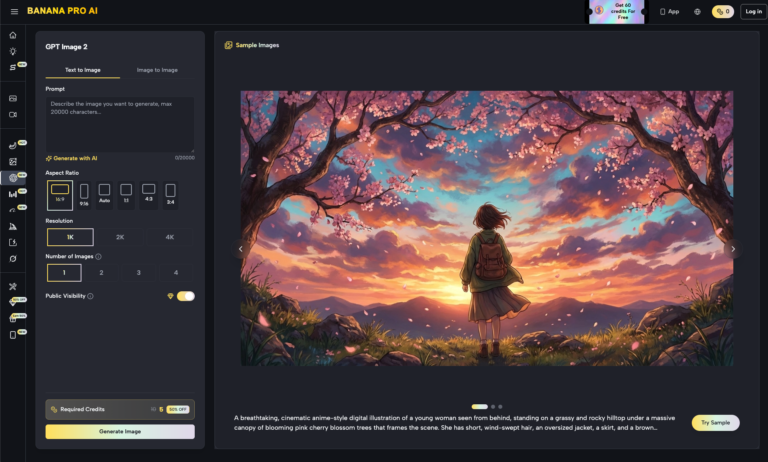
The traditional chat-style interface, popularized by early LLMs and image bots, is fundamentally poorly suited for visual production. Visual work is non-linear; it requires looking at the “before” and “after” simultaneously. A canvas-based environment represents a significant architectural shift for creators. Instead of a scrolling list of images, the workspace functions more like a digital drafting table.
In this model, the Banana AI environment allows for a layered approach to asset building. For example, a creative lead might start with a low-fidelity layout to establish the “bones” of a composition. Instead of discarding that layout, it remains on the canvas as a reference point. When moving to high-fidelity generation, the context is preserved. This reduces the risk of the AI drifting away from the approved creative direction, a common issue when generating in isolation.
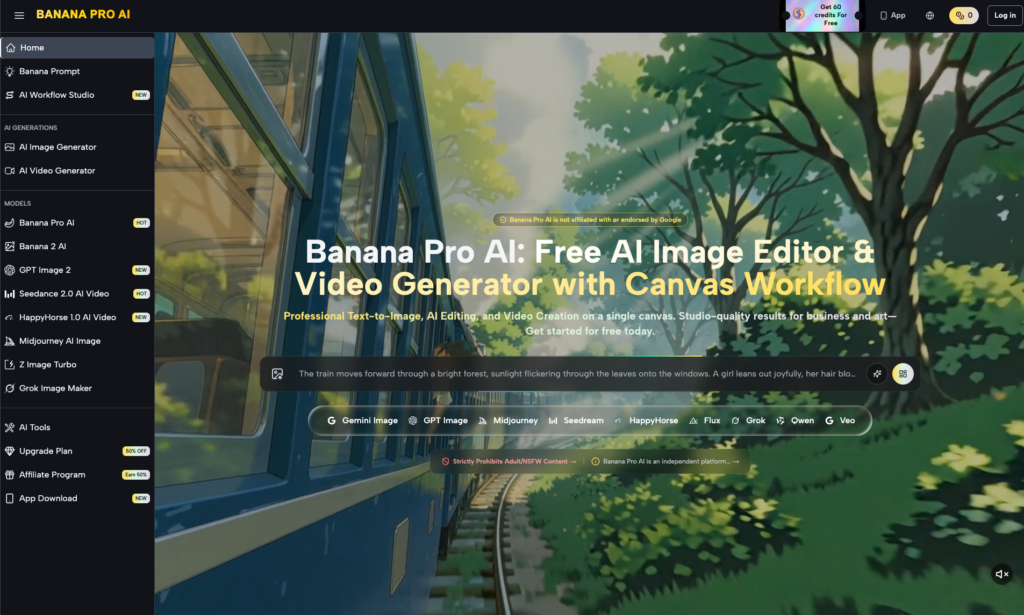
The strategic benefit here is the reduction of “tool fatigue.” When the video generator, image editor, and upscaler share the same UI context, the time between a creative decision and its visual execution drops significantly. You aren’t just making an image; you are managing a visual ecosystem where each generation informs the next.
Beyond Single Prompts: Leveraging Nano Banana AI for Style Anchoring
Consistency is the benchmark of professional work. For a marketing campaign, an AI-generated character or product environment must look identical across social tiles, banner ads, and video clips. This is achieved through what we call “style anchoring.”
Using Nano Banana AI, creators can employ image-to-image transformations to maintain structural integrity. Instead of asking the AI to “create a sunset over a mountain in a cyberpunk style” twice and hoping for the best, a creator uses the first successful output as a structural seed. By feeding that seed back into the pipeline, the secondary assets—whether they are different angles or specific close-ups—retain the lighting, texture, and atmospheric perspective of the original.
Consider a real-world application: moving from a static product concept to a full marketing video. Within a single session on Banana Pro, a designer can lock in the aesthetic of a product using the Banana Pro AI model, then immediately transition that specific visual data into a video generation sequence. This ensures that the “motion” version of the asset doesn’t look like it belongs to a different brand. The Nano Banana engine facilitates this by treating the image as a set of parameters rather than just a flat file.
Limits of Automation: Where Pure AI Pipelines Still Stumble
Despite the massive strides in tool integration, a healthy skepticism remains vital for any creative operations lead. It is a mistake to view these tools as a “set and forget” solution. There are clear technological boundaries that currently require human oversight and manual intervention.
One notable limitation is the challenge of HEX-perfect color replication. While an AI tool can get close to a brand’s specific shade of “electric blue,” it often struggles to maintain that exact color value across different lighting conditions or video frames without manual post-correction. If your brand guidelines require 100% color accuracy, you cannot yet rely solely on the raw output of Nano Banana AI; a final pass in a tool like DaVinci Resolve or Photoshop is still necessary for color grading.
Secondly, there is the persistent issue of spatial consistency in video movement. When transitioning from a 2D image to a 3D video, the AI sometimes “hallucinates” the back side of an object or the way shadows interact with a moving light source. These artifacts are becoming less frequent, but they haven’t disappeared. We cannot safely conclude that fully autonomous pipelines will replace the need for a human creative director who can spot a flickering shadow or an anatomical impossibility that the AI missed.
Operationalizing the Output: From Canvas to Final Distribution
Once the generative work is complete within the Nano Banana ecosystem, the final stage is operationalization. This involves taking the “raw” AI output and prepping it for high-resolution environments. While the built-in upscalers in the Banana Pro suite are excellent for digital-first content, large-scale print or 4K broadcast often requires a multi-step export process.
The most efficient workflows today don’t end at the “Download” button. Instead, they integrate the AI assets into traditional design stacks. A common pipeline looks like this:
- Conceptualization: Rapid iteration on the canvas to find the visual “hero.”
- Refinement: Using image-to-image tools to polish details and textures.
- Expansion: Generating variants and short video loops to build out the asset library.
- Integration: Moving the assets into Figma for UI/UX overlays or Adobe After Effects for final typography and brand-specific motion graphics.
This shift in mindset—from “making one image” to “curating a visual ecosystem”—is what separates high-speed teams from those struggling to get a single usable prompt. By treating the AI as a synchronized pipeline rather than a series of isolated events, creators can finally stop playing digital ping-pong and start focusing on the actual creative strategy. The goal is to let the Nano Banana tools handle the heavy lifting of visual synthesis so the human can handle the heavy lifting of brand storytelling.


